PUBLIC REFERENCE
Column
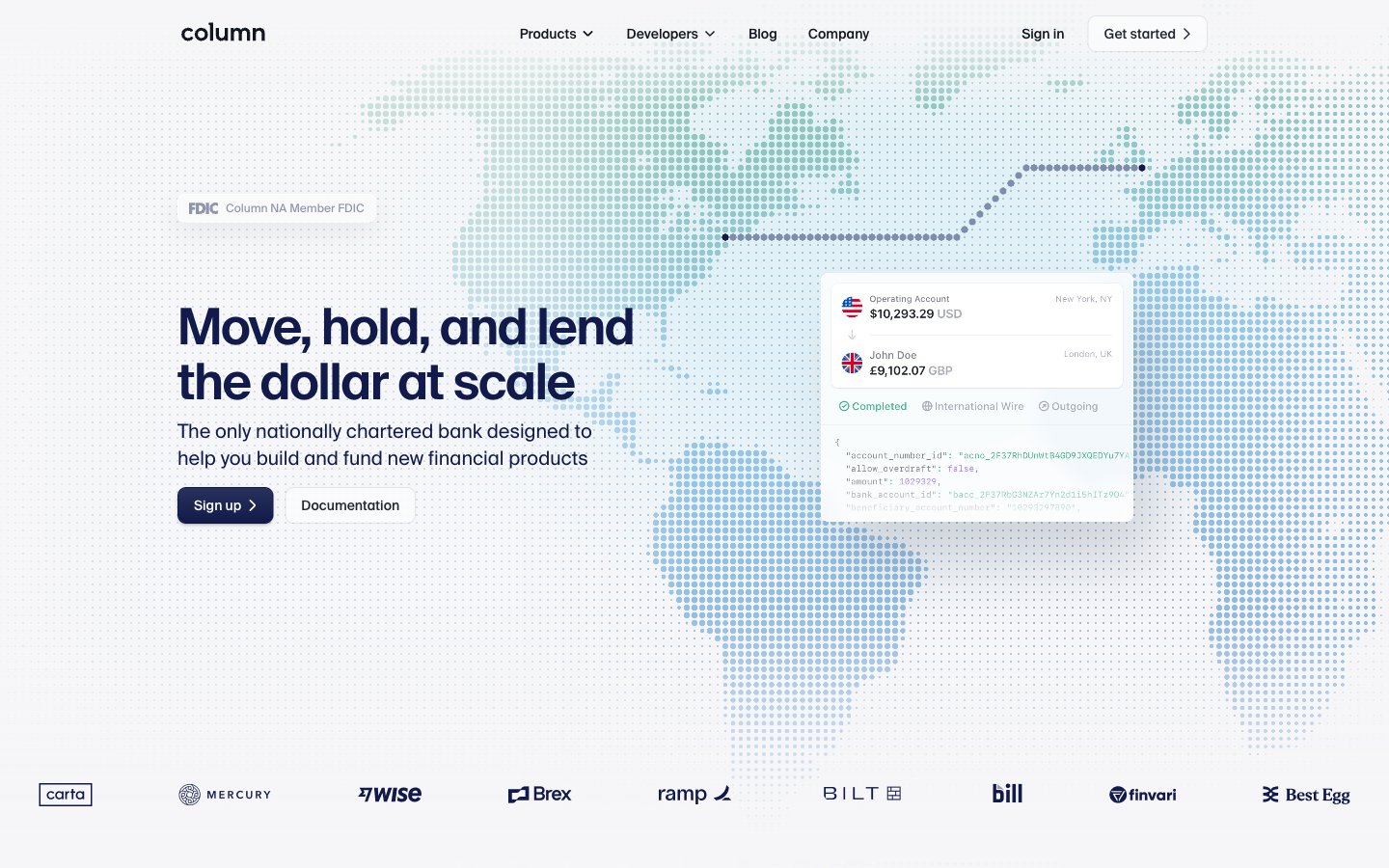
Architectural blueprint on white marble. Subtle background patterns convey structure beneath a pristine, luminous surface, punctuated by precise, high-contrast markers.
Colors
#011821 Primary text color for headings and body copy, grounding the design.
#000000 Used for critical text elements and strong outlines, providing maximum contrast and emphasis.
#ffffff Primary background for pages and cards, fostering a sense of openness and purity.
#f6f6f8 Secondary background for sections and subtle content groupings, almost imperceptibly off-white to provide visual separation.
#e3e4e8 Subtle borders and separators, defining boundaries without starkness.
#232730 Text on lighter backgrounds for softer contrast than pure black, often used in navigation and body text.
#7c7f88 Contextual body text and secondary labels, offering readability without competing with primary elements.
#12161 Darker shades for text and icons, particularly on hero sections, for depth.
#111a4a Brand accent for interactive elements, icons, and significant textual highlights, establishing Column's brand identity.
#ec652b Primary call-to-action buttons and key interactive states, drawing immediate attention.
#d65620 Decorative background for banners, imbuing sections with a sense of expansive, technological potential.
#023247 Illustrative elements and background patterns, adding a subtle technical depth.
#44b48b Status indicators and affirmation icons, providing a clear visual cue for positive outcomes.
#771c86 Subtle, localized background gradient to highlight specific sections with a deep, cosmic feel.
#7ea7e9 Informational graphics and secondary accents, providing a cooler tonal balance.
#167e6c Highlight elements and secondary interactive states, offering a complementary accent to the orange.
#88deeb Subtle highlights and supporting iconography, a brighter counterpart to Callout Cyan.
Do
- Use `Fog Gray` (#f6f6f8) for secondary section backgrounds to create subtle visual breaks, not just `Ghost White` (#ffffff).
- Apply `SuisseIntl` with a negative letter-spacing (-0.02em to -0.03em) for all headlines 28px and larger, tightening the text for a refined, modern feel.
- Borders on interactive elements should primarily use `Steel Gray` (#e3e4e8), providing definition without harshness.
- All cards and buttons should consistently use an `8px` border-radius for a soft, approachable geometry, except when specific components dictate otherwise.
- Emphasize critical actions with the `Action Orange` (#ec652b) background, reserving `Deep Plum` (#111a4a) primarily for non-primary interactive elements and brand accents.
- Use `SFMono` or `SuisseIntlMono` at 10-12px for all numerical data and code snippets to ensure alignment and technical precision.
- Enhance surface depth with the subtle card shadow: `rgba(17, 26, 74, 0.05) 0px 0px 0px 1px, rgba(0, 0, 0, 0.1) 0px 1px 2px 0px, rgba(255, 255, 255, 0.5) 0px 0px 0px 1px inset`.
Don't
- Do not use generic blue for primary interactive elements; save `Info Blue` (#7ea7e9) for graphics and non-actionable information to prevent dilution of `Deep Plum` and `Action Orange`.
- Avoid arbitrary uses of vivid colors; `Success Moss` (#44b48b) and `Notification Teal` (#88deeb) are reserved for semantic feedback, not decorative elements.
- Do not deviate from the `8px` default border-radius for primary UI elements across buttons and cards; exceptions are only for badges or specific component variants.
- Do not apply heavy, opaque box-shadows; the system relies on subtle, layered shadows to suggest depth and elevation.
- Avoid using `Code Black` (#000000) for large blocks of text; opt for `Ink Blue` (#011821) or `Charcoal Text` (#232730) for better readability and a softer appearance.
- Do not introduce new typefaces; `SuisseIntl` is for visual impact and headings, `Inter` for general readability, and monospaced fonts for technical context.
- Do not break the established vertical rhythm of 48px `sectionGap` and `24px` `elementGap` in content arrangements; maintain spaciousness.