PUBLIC REFERENCE
Amplemarket
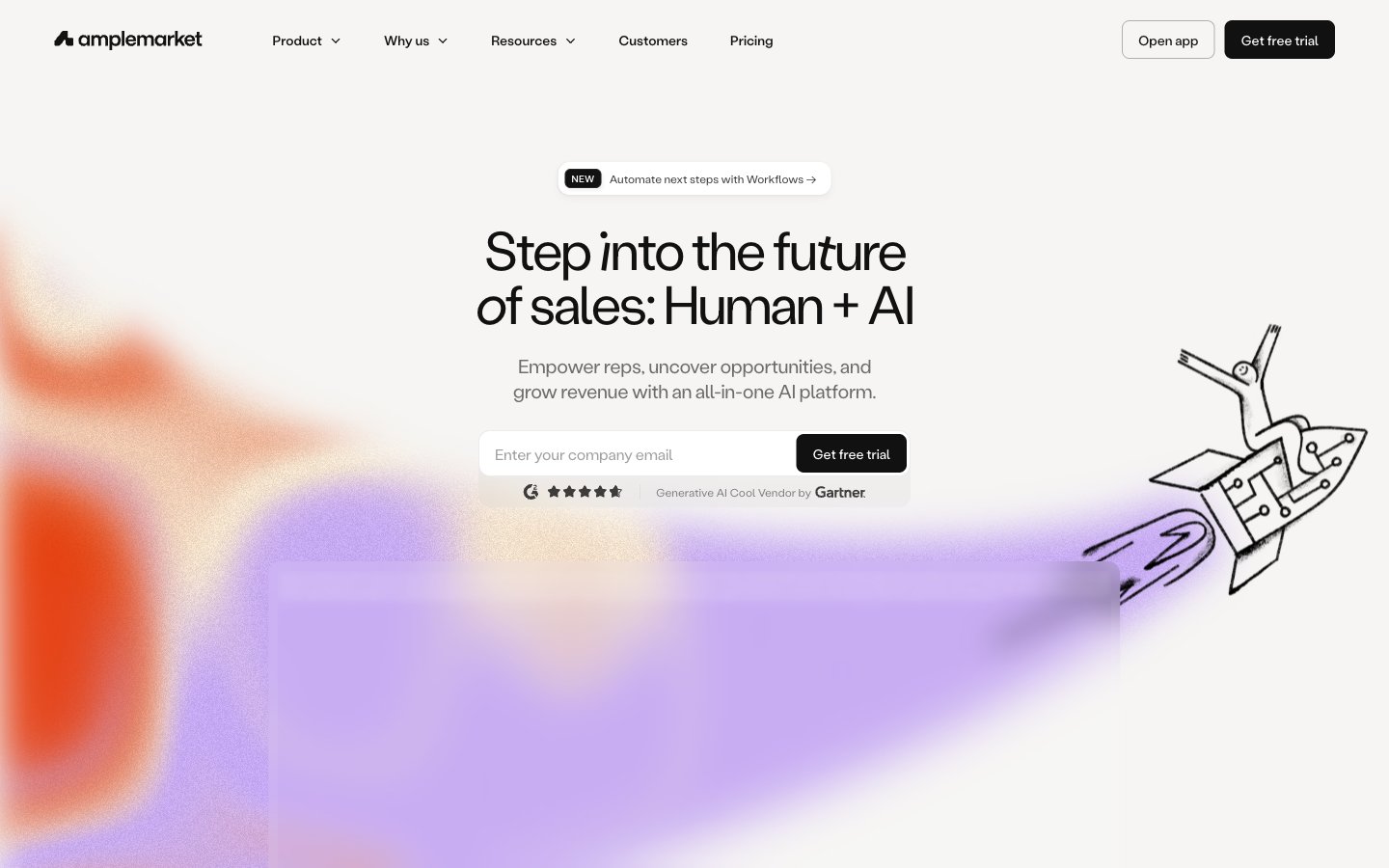
Subtle dynamism on a crisp canvas
Colors
#111111 Primary text, icon fills, dominant backgrounds on dark sections, heavy borders
#ffffff Primary page background, light surface backgrounds, text on dark sections, subtle borders
#272625 Elevated card backgrounds, input backgrounds
#6d6c6b Secondary text, subtle borders, inactive states
#f4f3ef Subtle background panels, light hover states
#ecebea Ghost button backgrounds, subtle surface variations
#e8400d Accent for dynamic backgrounds and gradients, pillar highlights; Decorative background graphic, giving sections a vibrant, flowing feel
#99fff9 Accent for dynamic backgrounds and gradients, pillar highlights; Decorative background graphic, providing a cool counterpart to warmer gradient tones
#10054d Distinct element coloring, primary button text on light backgrounds
#ffd7f0 Soft accent cards, decorative background elements
#b7efb2 Soft accent cards, decorative background elements
#ffef99 Soft accent cards, decorative background elements
#e2ddfd Soft accent cards, decorative background elements
#2e2460 Violet state accent for badges, validation surfaces, and short status labels. Do not promote it to the primary CTA color
#fbc768 Yellow wash for highlight backgrounds, decorative bands, and soft emphasis behind content. Use as a supporting accent, not as a status color
#e16540 Orange wash for highlight backgrounds, decorative bands, and soft emphasis behind content. Use as a supporting accent, not as a status color
#328efa Blue wash for highlight backgrounds, decorative bands, and soft emphasis behind content. Use as a supporting accent, not as a status color
#47d096 Green wash for highlight backgrounds, decorative bands, and soft emphasis behind content. Use as a supporting accent, not as a status color
Do
- Use Labil Grotesk Variable with specific letter-spacing adjustments: larger text sizes from 20px up should have negative tracking, while smaller body text (14px, 12px) uses positive tracking to maintain readability.
- Prioritize Canvas White (#ffffff) for dominant page backgrounds and Midnight Ink (#111111) for primary text, creating high contrast.
- Apply 12px border radius to most containers: cards, inputs, and selected interactive elements, with 8px reserved for primary buttons and nav items.
- Intersperse sections with vibrant, soft-edged radial gradients (`Dynamic Energy Gradient 1` and `Dynamic Energy Gradient 2`) to introduce visual dynamism.
- When creating cards for features or client logos, use Whisper Gray (#f4f3ef) backgrounds to subtly differentiate them from the main canvas.
- Apply default elementGap of 8px for tight spacing between components, increasing to 20px for cardPadding and 56px for sectionGap to establish clear visual hierarchy.
- Utilize the pillar highlight colors (Engagement Gold, LeadGen Red, Intelligence Blue, Deliver Green) for small, functional accents such as icons or tags related to their respective categories.
Don't
- Avoid using bright, saturated colors for large background areas unless they are part of a soft-edged gradient effect.
- Do not use generic system fonts; always specify 'Labil Grotesk Variable' to maintain brand consistency.
- Do not add heavy or opaque shadows; elevation should be subtle, employing diluted rgba(17, 17, 17, 0.02-0.05) values.
- Do not vary border radius arbitrarily; stick to 12px for cards/inputs and 8px for buttons/nav to maintain a consistent visual language.
- Do not use default browser blue for links; all links should use Midnight Ink text color or Canvas White on dark backgrounds, with explicit hover states.
- Do not use outline buttons for primary calls to action; reserve solid fill buttons (Primary Filled Button - Dark) for clear actionable items.
- Do not clutter layouts; maintain comfortable spacing with an 8px base unit and larger gaps for sections to provide breathing room.