PUBLIC REFERENCE
Authkit
Midnight Command Center. Imagine a high-tech dashboard glowing softly in a dark room, with frosted glass elements reflecting subtle light.
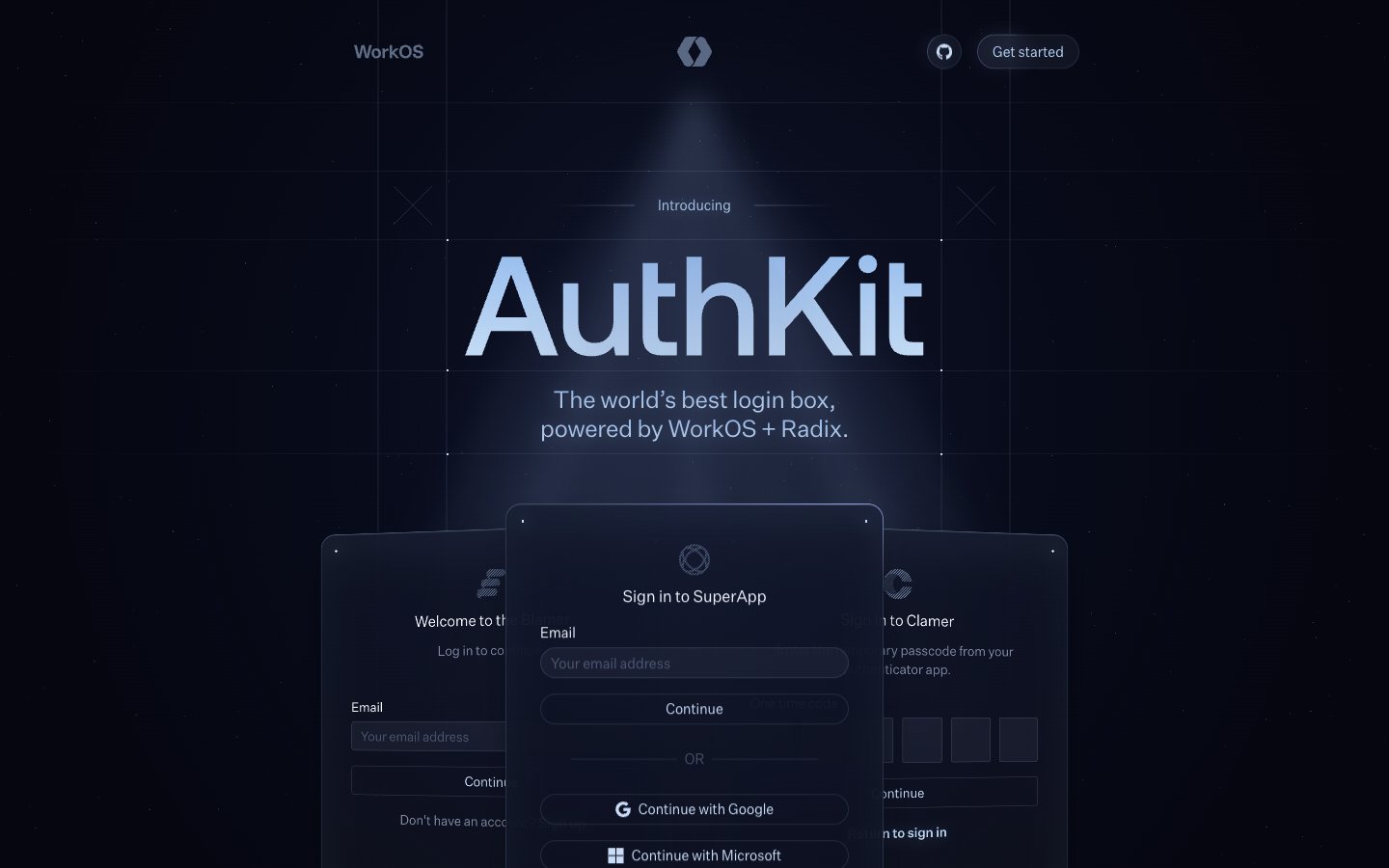
Colors
#05060f Page backgrounds, elevated card backgrounds, deep shadows.
#ffffff Primary text for headings and high-contrast elements, icon fills.
#2f343 Subtle shadows, secondary background for interactive states.
#d8ecf8 Primary body text, prominent links, and headings; provides high readability against dark backgrounds.
#d1e4fa Secondary body text, icon outlines, button text; a cool, muted off-white for softer emphasis.
#b6d9fc Focus states for interactive elements, subtle highlights.
#c7d3ea Less prominent body text, disabled states, and subtle borders; a desaturated blue-gray that recedes gracefully.
#3f4959 Outline for informational badges and subtle accents.
#9da7ba Placeholder text in inputs, less important body text.
#663af3 Action buttons and primary interactive elements; a vibrant, focused color against the dark backdrop.
#81899b Faint text color for small captions or secondary labels.
#d8ecf8 Subtle background element for atmospheric effect, indicating light source.
#bacff7 Interactive element borders and inner glows, creating a subtle sci-fi effect.
Do
- Prioritize `Midnight Abyss` (#05060f) as the primary background color for all main page sections and large surface areas.
- Use `aeonikPro` (sub. Space Grotesk) for all marketing headlines (28-48px) and `Untitled Sans` (sub. Inter) for all body copy and UI elements (12-24px).
- Apply `Pill` (999px) radius to all primary and secondary action buttons, and `Subtle` (12-16px) radius to cards and containers.
- Employ the complex inner shadow `rgba(199, 211, 234, 0.12) 0px 1px 1px 0px inset, rgba(199, 211, 234, 0.05) 0px 24px 48px 0px inset, rgba(6, 6, 14, 0.7) 0px 24px 32px 0px` on elevated cards to create visual depth.
- Reserve `Neon Violet` (#663af3) exclusively for critical call-to-action buttons, maintaining its impact.
- Use subtle linear gradients for decorative elements, such as `linear-gradient(90deg, rgba(0, 0, 0, 0), rgba(186, 215, 247, 0.12), rgba(0, 0, 0, 0))` for dividers or highlights.
Don't
- Avoid using highly saturated, non-brand colors outside of the designated `Neon Violet` accent.
- Do not use generic drop shadows; instead, utilize the specified `inset` shadows and soft outer glows to achieve depth.
- Do not deviate from the specified font families; their visual distinction is core to the brand identity.
- Do not apply standard rectangular shapes to buttons; all interactive buttons should use `Pill` (999px) radius.
- Avoid using flat, opaque background colors for cards; instead, use translucent backgrounds with subtle inner shadows to maintain the 'frosted glass' effect.
- Do not use letter-spacing on display headings; `aeonikPro` should maintain `normal` letter spacing at larger sizes, while `Untitled Sans` uses a subtle negative spacing.